Article
Jan 4, 2026
Instantly Campaign Setup in 2026: Deliverability-First Settings That Work
Learn the exact Instantly campaign settings GrowthFixr uses in 2026 to improve cold email deliverability, warm up mailboxes, and land in Primary.
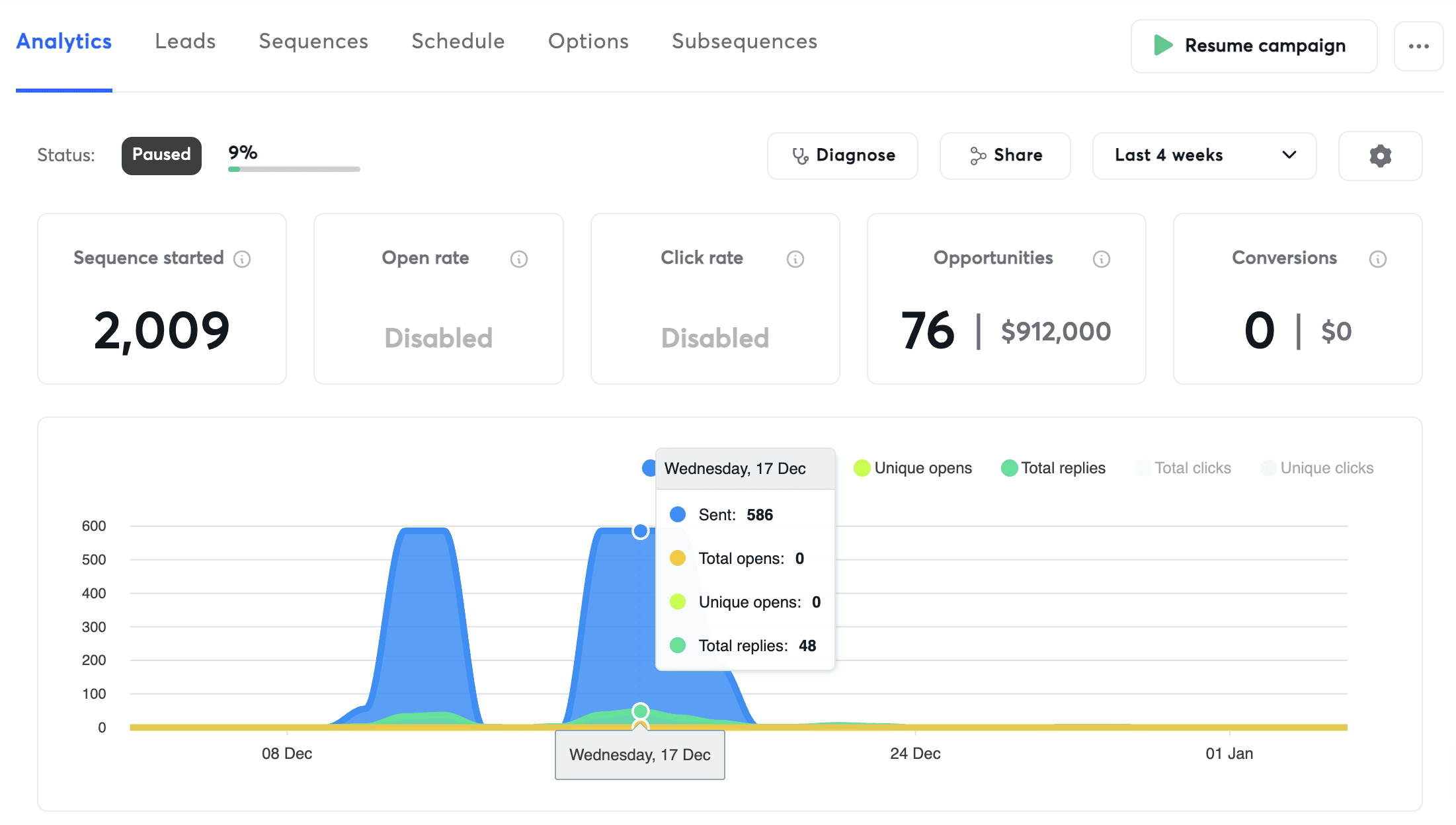
If you are launching outbound for the first time in 2026 and using Instantly, deliverability is the entire game.
Most cold email campaigns fail because teams rush warmup, overuse tracking, or send too aggressively. This guide covers the exact Instantly campaign setup GrowthFixr uses in 2026 to consistently land emails in the Primary inbox.
This is not a theory-based guide. These are proven Instantly deliverability settings we run across live outbound systems.
1. Mailbox Warmup Settings for Instantly (2026)
Before launching any campaign, every mailbox must be properly warmed.
Once your email accounts are added to Instantly, warm them up for at least 18–19 days. Shorter warmups significantly increase spam placement and domain risk.
Basic mailbox setup
Go to Email Accounts
Select all mailboxes
Click Bulk Edit Settings

Configure the following:
Sender name
If you use multiple senders, only bulk-edit mailboxes tied to the same sender.
Signature
Keep it simple. No links. No images.
Daily campaign limit
New mailboxes: 14
After 2 months: 16
After 6 months: 19
Minimum wait time
Anything between 9 - 13 minutes performs well.
Daily inbox placement tests
Set to 10
Custom tracking
Disabled
We do not use custom tracking. Deliverability has remained strong without it.
Instantly warmup settings
Configure the following warmup values:
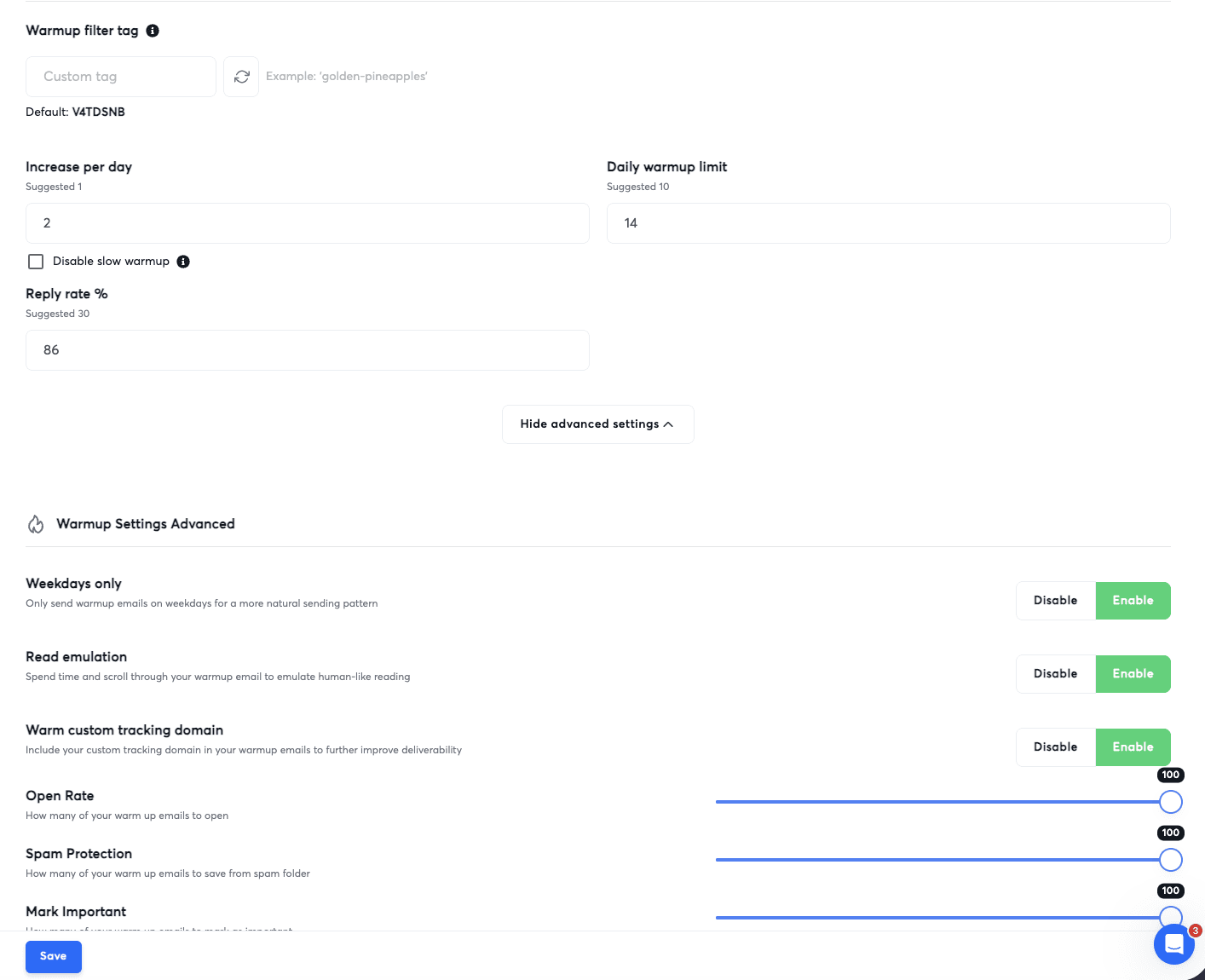
Increase per day: 2
Daily warmup limit: 14
Reply rate: 86%
Click Advanced Settings and enable:
Weekdays only
Read emulation
Warm custom tracking domain
Set all of the following to 100%:
Open rate
Spam protection
Mark as important
These settings train inbox providers to treat your emails as legitimate human conversations.
2. Instantly Account-Level Deliverability Settings
These settings apply across your entire Instantly account and are critical for cold email deliverability in 2026.
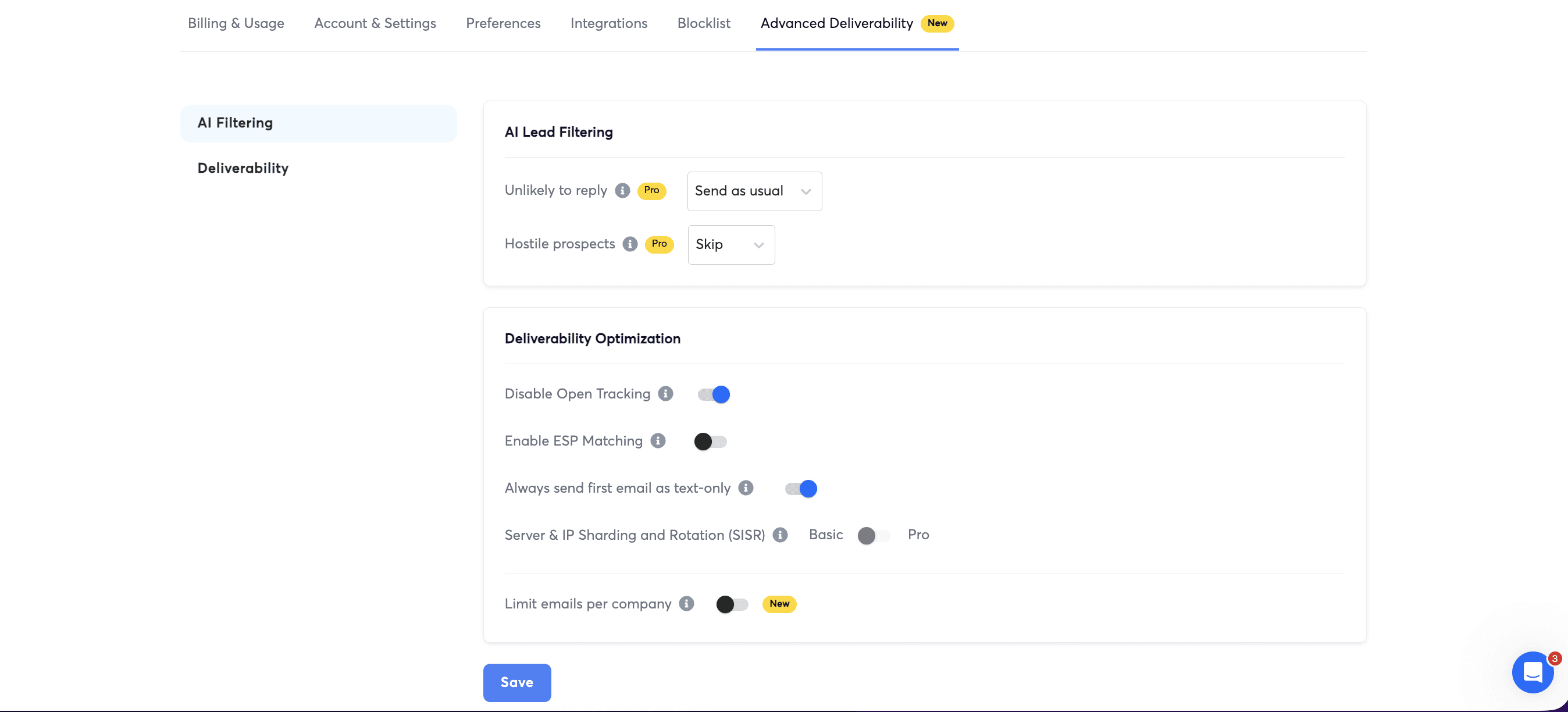
Go to Settings
Click Advanced Deliverability
Set the following:
Hostile prospects
Set to Skip
Instantly automatically removes prospects who report spam or threaten legal action.
Disable open tracking
Enabled
Always send first email as text only
Enabled
Server and IP sharding and rotation
This activates automatically once you have enough volume and are on the Hyper Growth plan.
Account-level misconfiguration is one of the most common reasons Instantly campaigns fail.
3. Instantly Campaign-Level Settings That Protect Deliverability
Once mailboxes are warmed and account settings are configured, you can safely launch a campaign.
Sequence setup
After uploading leads, go to Sequence and configure:
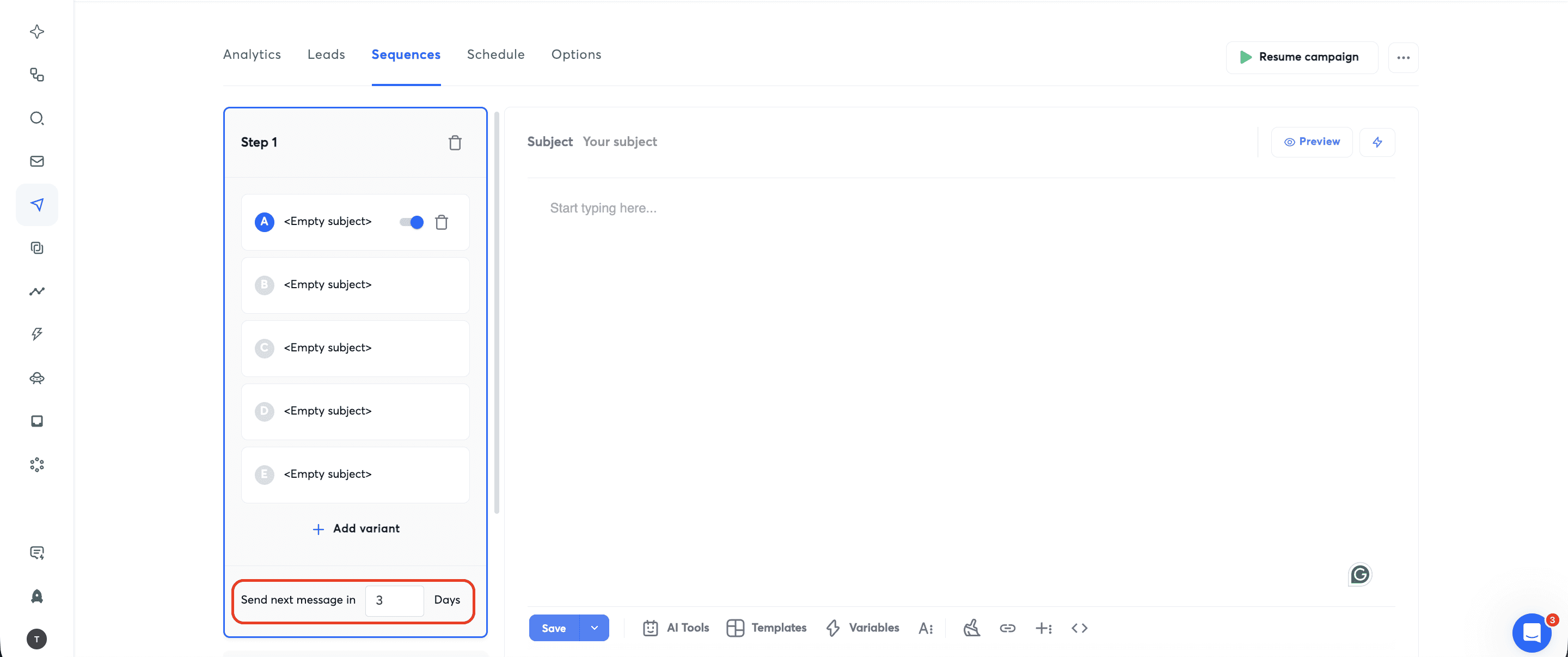
At least 5 email variations
This improves both reply rates and inbox placement.Unique subject lines
Avoid patterns like:“Hey {{First Name}}”
“{{Company Name}} <> {{First Name}}”
These no longer work in 2026.
No links in emails
Links dramatically increase spam filtering.Timezone-based scheduling
Always send emails in the lead’s local timezone.
Campaign options
Configure the following before launch:
Select the sending accounts you want to use
Disable open tracking
Enable both delivery optimization options
Daily sending limit
Set this to total leads ÷ 3
This ensures each lead receives one email every three days. Your sequence timing must match this cadence.
Auto optimize A/Z testing
Enable
Set winning metric to Reply Rate
Once everything is confirmed, click Launch.
Frequently Asked Questions About Instantly in 2026
How long should you warm up Instantly mailboxes?
- At least 18 - 19 days. Anything shorter increases spam placement risk.
Does open tracking hurt Instantly deliverability?
- Yes. Open tracking should be disabled at both the account and campaign level.
How many emails per day should a new Instantly mailbox send?
- Start at 14 per day and scale slowly over several months.
Do links hurt cold email deliverability in 2026?
- Yes. Link-free emails consistently outperform linked emails for inbox placement.
Final Thoughts
Outbound still works in 2026, but only if you respect deliverability.
Most teams fail because they rush warmup, over-track engagement, or scale volume too quickly. If you follow the Instantly setup above, you avoid the most common mistakes and give your campaigns a real chance to perform.
If you want help setting this up correctly or building outbound systems that actually scale, GrowthFixr can help.